 Gemini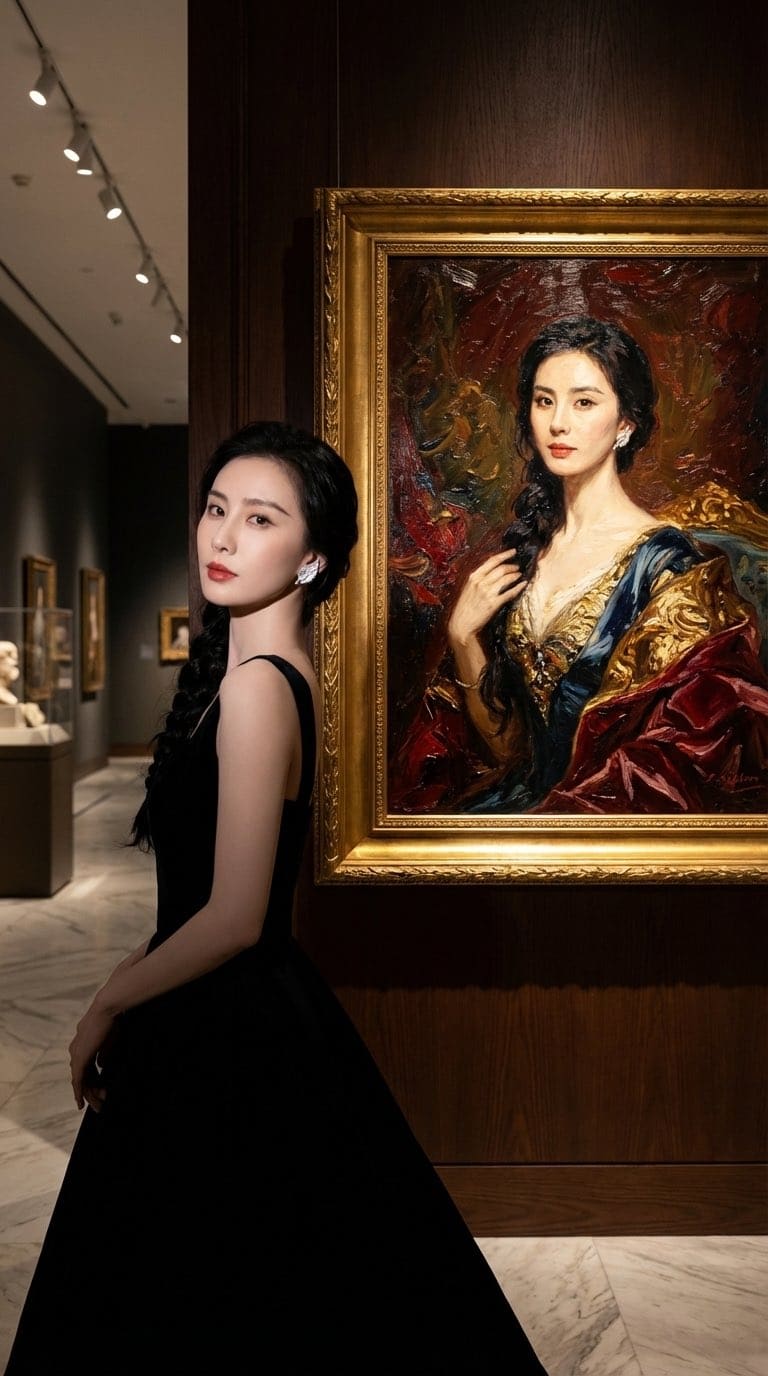
Fine Art Museum Exhibition Portrait Prompt
This Gemini photo editing prompt turns one clear photo of you into a fine art museum exhibition portrait. It spells out a museum, spotlight and 50mm lens and Kodak film tones, which is why the result looks like a real photograph rather than a generic AI image. It includes face-lock instructions so your facial features, skin tone and expression stay the same.
1:1 65 words Needs your photo
Fine Art Museum Exhibition Portrait prompt text
Copy & pasteA commercial grade photograph of [uploaded reference image] posing inside a high-end museum exhibition space. The character's face, identity, and expression are strictly preserved from the uploaded image. They stand beside a massive classical renaissance oil painting framed in ornate gold. The gallery is lit with warm directional track spotlights creating subtle shadows on polished hardwood floors. Shot on Leica SL2 with a 50mm lens.
How to use this prompt
- 1
Copy the prompt
Tap "Copy prompt" to copy all 65 words exactly as written.
- 2
Upload your photo
Open Google Gemini (gemini.google.com) and pick Nano Banana / "Create image", tap the + button and attach one sharp, well-lit photo where your face is clearly visible.
- 3
Paste and generate
Paste the prompt and send it. Ask for a 1:1 aspect ratio if the tool does not pick it automatically.
- 4
Refine with follow-ups
Ask for small changes in the same chat — "make the lighting warmer" or "change the outfit colour to black" — instead of rewriting the prompt.
Make it your own
- Location: swap a museum for a minimal studio backdrop.
- Lighting: try golden-hour light instead of spotlight for a different mood.
- Format: use 9:16 instead of 1:1 for Instagram Reels and Stories.
Pro tip: Museum gallery lighting with gilded picture frames creates an instant sophisticated, high-culture vibe.
Fine Art Museum Exhibition Portrait prompt — FAQ
Is the fine art museum exhibition portrait prompt free?
Yes. You can copy the full fine art museum exhibition portrait prompt on Hixa for free and use it in Google Gemini, ChatGPT or any other AI image tool. No signup is needed.
Will this prompt change my face?
It is written to keep your facial features, skin tone and expression the same as your uploaded photo. For the best likeness, use a sharp, front-facing photo in good light. If the face drifts, reply with "keep my face exactly the same as the uploaded photo".
Which AI tool works best for this prompt?
It is written for Google Gemini's Nano Banana Pro image model. It also works in ChatGPT image generation and most modern AI image tools, though results vary between models.
What aspect ratio should I use?
The prompt is designed for 1:1. Use 4:5 for Instagram feed posts and 9:16 for Reels or Stories.
Similar styles people copy with this one
Gemini Gemini
Reclining in Leopard Print
Portrait
 Gemini
Trending
GeminiMulti-Arm Professional Portrait
Portrait

Trending
GeminiWindswept Field Portrait
Portrait
 Gemini
Tropical Villa Jacuzzi Candid
Portrait
 Gemini
Luxury Lifestyle Car Portrait
Portrait
 Gemini
Intense Low-Key Studio Portrait
Portrait
 Gemini
 Gemini
 Gemini
 Gemini