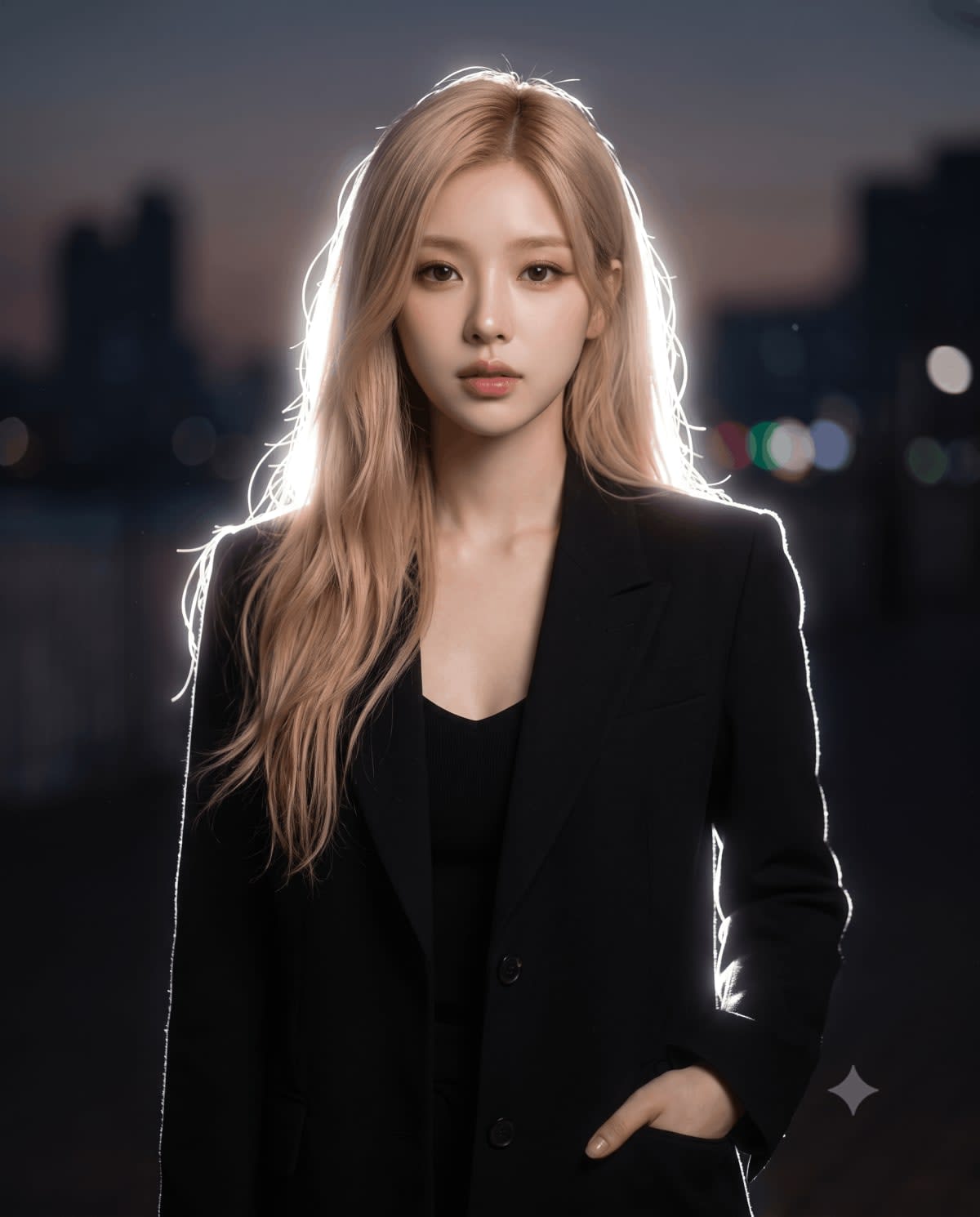
Lofi Dusk Cinematic Night Glow Relight – in an open field, AI image made with Nano Banana Pro
Example output · Nano Banana ProCredit: Hixa Editorial Team

Lofi Dusk Cinematic Night Glow Relight Prompt

This Gemini photo editing prompt turns one clear photo of you into a lofi dusk cinematic night glow relight. The prompt locks in an open field, rim lighting and backlighting and 85mm portrait lens and Kodak film tones, so you get a consistent, share-ready result. It includes face-lock instructions so your facial features, skin tone and expression stay the same.

4:5 258 words Needs your photo

Lofi Dusk Cinematic Night Glow Relight prompt text

Copy & paste

Use the uploaded image as the main base image and preserve the subject's original pose, framing, composition, camera angle, crop, body position, hand placement, facial identity, hairstyle, clothing, accessories, and overall subject details. Keep the aspect ratio the same as the original image. Do not change the pose or expression. Only transform the lighting, background mood, and atmosphere.Convert the scene into a dark, moody nighttime portrait with a deep muted background fading into near-black shadows. Replace the original background with a soft, out-of-focus night environment featuring faint silhouettes, subtle bokeh lights, and cinematic dusk-to-night tones. Add a strong backlight directly behind the subject to create a bright white rim light around the hair, shoulders, arms, hands, clothing edges, and full body outline. Add a soft luminous bloom aura around the subject, especially around the outer edges, to create a dreamy glowing silhouette effect. The glow should feel natural, atmospheric, and cinematic, not overly artificial or neon.Keep the subject clearly visible while allowing the background to remain dark and subdued. Maintain realistic skin texture, realistic clothing texture, and natural facial features. The final image should feel like an ultra-realistic editorial night portrait shot with an 85mm DSLR lens using soft flash diffusion, with shallow depth of field, subtle halation, bloom glow, gentle flash-lit contrast, and a dreamy low-light atmosphere.Style keywords: cinematic rim light, glowing body aura, halation effect, bloom glow, dreamy silhouette glow, moody night portrait, soft flash diffusion, dusk bokeh background, CCD camera aesthetic, disposable flash mood, Instagram lofi night tones, shallow depth of field, photorealistic, ultra-detailed, 4K.

How to use this prompt

  1. 1

    Copy the prompt

    Tap "Copy prompt" to copy all 258 words exactly as written.

  2. 2

    Upload your photo

    Open Google Gemini (gemini.google.com) and pick Nano Banana / "Create image", tap the + button and attach one sharp, well-lit photo where your face is clearly visible.

  3. 3

    Paste and generate

    Paste the prompt and send it. Ask for a 4:5 aspect ratio if the tool does not pick it automatically.

  4. 4

    Refine with follow-ups

    Ask for small changes in the same chat — "make the lighting warmer" or "change the outfit colour to black" — instead of rewriting the prompt.

Make it your own

  • Location: swap an open field for a Goa beach at sunset.
  • Lighting: try golden-hour light instead of rim lighting for a different mood.
  • Format: use 9:16 instead of 4:5 for Instagram Reels and Stories.

Pro tip: This is a relight, not a new photo — it works only if you tell the model to keep the original pose, crop and framing untouched and change lighting alone.

Lofi Dusk Cinematic Night Glow Relight prompt — FAQ

Is the lofi dusk cinematic night glow relight prompt free?

Yes. You can copy the full lofi dusk cinematic night glow relight prompt on Hixa for free and use it in Google Gemini, ChatGPT or any other AI image tool. No signup is needed.

Will this prompt change my face?

It is written to keep your facial features, skin tone and expression the same as your uploaded photo. For the best likeness, use a sharp, front-facing photo in good light. If the face drifts, reply with "keep my face exactly the same as the uploaded photo".

Which AI tool works best for this prompt?

It is written for Google Gemini's Nano Banana Pro image model. It also works in ChatGPT image generation and most modern AI image tools, though results vary between models.

What aspect ratio should I use?

The prompt is designed for 4:5. Use 4:5 for Instagram feed posts and 9:16 for Reels or Stories.

More cinematic prompts

Similar styles people copy with this one

View all
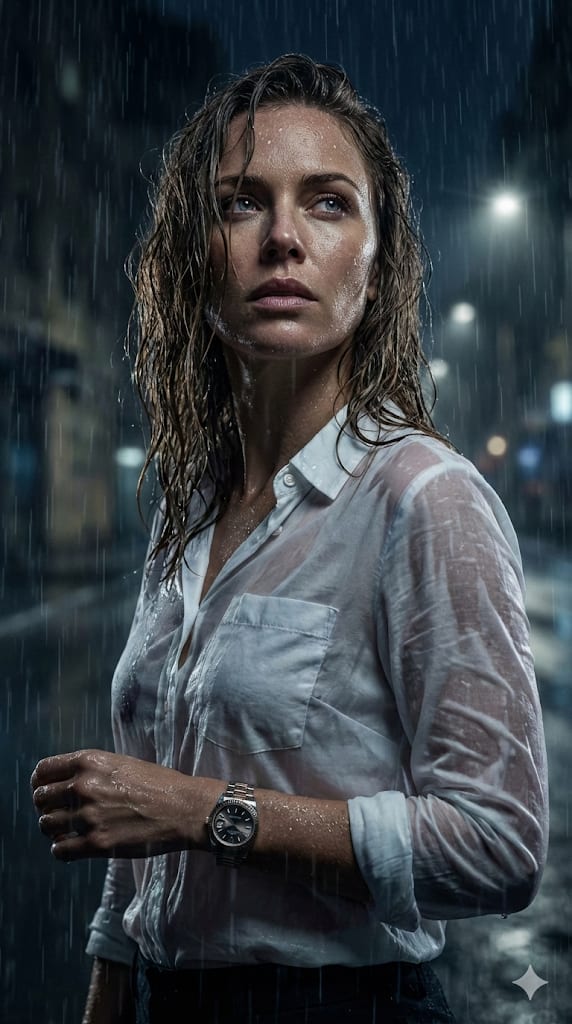
Hyper-Realistic Cinematic Night Portrait in Rain – woman in a rainy street, AI image made with Nano Banana Pro
Trending
Gemini
Dramatic Chiaroscuro Portrait – man in a suit in a photo studio, AI image made with Nano Banana Pro
Trending
Gemini
Recursive King of Spades Portrait – man in a suit in a museum, AI image made with Nano Banana Pro
Trending
Gemini
Hyper-Realistic Facial Identity Preservation Portrait – man in a dress in a photo studio, AI image made with Nano Banana Pro
Gemini
Ultra-Detailed Photorealistic Nighttime Car Portrait – woman in a crop top in a car, AI image made with Nano Banana Pro
Gemini
Luxury Bathroom Lifestyle Portrait – man in a t-shirt in a bathroom, AI image made with Nano Banana Pro
Gemini
Ultra-Realistic Portrait of an Artist Painting a Self-Mural – man in a cosy cafe, AI image made with Nano Banana Pro
Gemini
Cinematic Melancholic Cafe Portrait – woman in a sweater in a cosy cafe, AI image made with Nano Banana Pro
Gemini
Candid Sports Stadium Fan Portrait – woman in denim in a stadium, AI image made with Nano Banana Pro
Gemini
Cinematic Moody Portrait – man in a hoodie in a photo studio, AI image made with Nano Banana Pro
Gemini
High-End Beauty Portrait with Reference – woman in an open field, AI image made with Nano Banana Pro
Trending
Gemini
Monochrome Graffiti Studio Portrait – in a photo studio, AI image made with ChatGPT
Trending
ChatGPT